
GE Security Systems offer robust home protection, utilizing advanced technology for peace of mind. This manual details operation, ensuring effective system use and safety.
What is a GE Security System?
GE Security Systems represent a comprehensive approach to safeguarding your property and loved ones. These systems integrate various components – control panels, sensors, keypads, and sirens – to detect and respond to potential threats; They are designed for both residential and commercial applications, offering customizable protection plans.
A GE system isn’t merely a burglar alarm; it’s a smart home security solution, potentially incorporating fire, carbon monoxide, and medical emergency monitoring. Proper understanding of the system, as detailed in this manual, is crucial for optimal performance and reliable protection.
Key Features and Benefits
GE Security Systems boast several key features, including 24/7 professional monitoring, remote access via smartphone apps, and customizable alerts. Benefits include enhanced peace of mind, deterring potential intruders, and rapid emergency response. The ability to bypass zones prevents false alarms during routine activities.
This manual will guide you through utilizing these features effectively. Advanced settings allow tailoring the system to your specific needs, while detailed logs provide valuable insights into system activity and potential issues, ensuring optimal security.
System Components
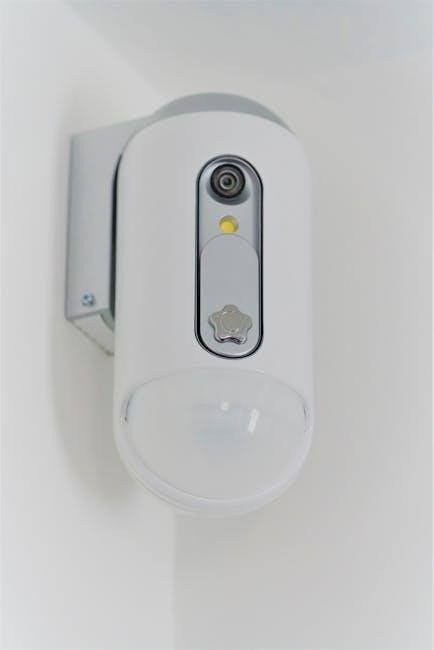
GE Security Systems comprise a control panel, keypad, door/window sensors, motion detectors, and sirens. Understanding each component is crucial for effective system operation.
Control Panel Overview
The control panel serves as the central hub of your GE Security System, managing all connected devices and communication. It houses the system’s brain, processing signals from sensors and initiating alarms. Typically, it features a backlit display showing system status, zone activity, and time.
Essential functions include arming/disarming the system, programming user codes, and accessing event logs. The panel often includes a backup battery ensuring operation during power outages. Proper panel placement is vital – a secure, concealed location is recommended, with easy access for authorized users.
Keypad Functions
The keypad is your primary interface for controlling the GE Security System. Entering a valid user code activates or deactivates the system, initiating the chosen arming mode. Dedicated keys often exist for emergency functions like panic or fire alarms, triggering immediate alerts.
Status indicators display system readiness, zone bypass status, and potential trouble conditions. Keypads allow for quick cancellation of false alarms and provide access to system settings. Remember, not just anyone can operate the system; authorized codes are essential.
Door and Window Sensors
Door and window sensors are crucial components, detecting unauthorized entry. These typically consist of two parts: a sensor and a magnet, installed on the frame and the moving part of the door or window. When separated, a signal is sent to the control panel, triggering a potential alarm event.
Proper placement is vital for reliable operation; ensure alignment and secure mounting. Regularly test sensors to confirm functionality and battery life. Bypassing zones containing faulty sensors is possible, but reduces security.
Motion Detectors
Motion detectors utilize passive infrared (PIR) technology to sense movement within a designated area. They identify changes in heat signatures, triggering an alarm if activity occurs while the system is armed. Strategic placement avoids false alarms from pets or environmental factors like sunlight and heating vents.
Adjusting sensitivity levels is often possible, tailoring detection range to specific rooms. Regular testing ensures optimal performance and battery health. Consider detector type – pet-immune options are available.
Sirens and Alarms
GE Security Systems employ loud sirens, both internal and external, to deter intruders and alert occupants upon alarm activation. Different alarm types – burglary, fire, or panic – may trigger distinct siren patterns or durations. Understanding these signals is crucial for appropriate response.
The system typically includes a built-in siren, with options for adding external sirens for increased audibility. Promptly investigate any alarm, and if a false alarm occurs, cancel it immediately using the keypad.
Initial System Setup
Proper setup is vital for optimal performance. This involves connecting to power, pairing wireless sensors, and creating unique user codes for authorized access.
Connecting to Power
Ensure the control panel is placed in a central, accessible location. Connect the provided power adapter to a standard electrical outlet, verifying a secure fit. If a backup battery is included, confirm it’s properly installed and charged for uninterrupted operation during power outages. A fully charged battery provides several hours of continued security.
Avoid using extension cords; direct connection is recommended. Observe the indicator lights on the panel to confirm power reception. Should the panel not power on, double-check the adapter and outlet functionality.
Wireless Sensor Pairing
To pair a wireless sensor, first, enter the system’s programming mode via the keypad, referencing the full manual for specific entry sequences. Then, activate the sensor – typically by removing a battery tab or pressing a button – initiating the pairing process. The control panel will display confirmation upon successful registration.
Ensure the sensor is within range of the control panel during pairing. Repeat this process for each additional wireless device. Refer to the sensor’s individual instructions for specific activation methods.
User Code Creation
Creating unique user codes is crucial for system security. Access the programming mode through the keypad, consulting the manual for the correct sequence. Assign each user a distinct four-to-six digit code, avoiding easily guessable numbers like birthdays or ‘1234’.
Limit the number of user codes to maintain control and accountability. Regularly review and update codes, especially if a user leaves the household. Remember to test each code after creation to ensure functionality.
Arming and Disarming the System
Proper arming and disarming procedures are vital for system effectiveness. Utilize designated keypad commands, referencing the manual for specific system modes—Away, Stay, and Night.
Arming Modes: Away, Stay, Night
GE Security Systems offer versatile arming modes tailored to your needs. Away mode activates full protection when the premises are unoccupied, securing all sensors. Stay mode provides perimeter security, safeguarding doors and windows while allowing movement inside.
Night mode is ideal for nighttime use, typically arming only downstairs sensors while disarming upstairs for comfortable sleep. Each mode requires a unique entry sequence on the keypad, detailed in the user manual. Selecting the correct mode ensures optimal security and minimizes false alarms.
Disarming Procedures
To disarm your GE Security System, enter your valid user code on the keypad within the designated timeframe – typically 60 seconds after arming. A successful entry will deactivate the alarm and return the system to a disarmed state.
The user manual outlines specific disarming sequences. If an incorrect code is entered, the system may trigger an alarm or lock out further attempts. Always confirm complete disarming via the keypad display or audible signal to ensure your safety and prevent unintended activations.
Understanding System Status Indicators
Your GE Security System utilizes various indicators to communicate its status. A steady “Ready” light signifies the system is armed and all zones are secure. A flashing “Ready” light indicates a zone is open or bypassed.
The user manual details specific light patterns for alarm events, low battery warnings, and communication issues. Familiarize yourself with these indicators for quick assessment. Understanding these signals allows for prompt response and ensures optimal system functionality and reliable protection.

Responding to Alarms
GE Security System alarms require immediate attention; verify the type – burglary, fire, or panic – and follow the manual’s cancellation procedures promptly.
Types of Alarms (Burglary, Fire, Panic)
GE Security Systems differentiate alarms for appropriate responses. A burglary alarm signifies unauthorized entry, triggering a loud siren and potential monitoring center notification. Fire alarms, activated by smoke detectors, demand immediate evacuation and contacting emergency services. Panic alarms, manually triggered, signal a duress situation requiring urgent assistance.
Understanding these distinctions, as outlined in your user manual, is crucial for a swift and effective reaction, ensuring the safety of occupants and property. Always prioritize life safety during any alarm event.
Alarm Verification Process
GE Security Systems often employ an alarm verification process to minimize false dispatches. Upon alarm activation, the monitoring center may attempt to contact you via phone to confirm the emergency. This step helps prevent unnecessary emergency service responses.
Your user manual details specific verification procedures. Failing to respond or providing a valid passcode may result in dispatch. Understanding this process, and ensuring accurate contact information, is vital for efficient and reliable security.
Cancelling a False Alarm
If a false alarm occurs, promptly disarm your GE Security System using your valid user code on the keypad. Immediately notify the monitoring center to inform them of the error and prevent dispatch of emergency services.
Refer to your user manual for specific cancellation procedures, as some systems require a dedicated cancellation code. Avoiding false alarm fees and ensuring efficient response relies on quick and accurate cancellation.

Troubleshooting Common Issues
GE Security System problems like low batteries or sensor malfunctions are easily addressed. Consult this manual for solutions and maintain optimal system performance.
Low Battery Warnings
GE Security Systems utilize low battery warnings to ensure continuous protection. The system will typically chirp, and the keypad will display a “Low Battery” message for affected sensors or the control panel itself. Prompt battery replacement is crucial; failing to do so can compromise system reliability.
Refer to the manual for specific battery types required for each component. Replace batteries with fresh ones immediately upon receiving a warning to avoid false alarms or system failures. Regular testing confirms proper functionality post-replacement.
Sensor Malfunctions
GE Security System sensor malfunctions can trigger false alarms or compromise security. Common issues include loose wiring, obstructions, or component failure. The keypad often displays a “Fault” or specific zone error message indicating a problem. Consult the manual for troubleshooting steps, such as checking sensor placement and connections.
If the issue persists, avoid bypassing the sensor and contact a qualified technician for repair or replacement. Ignoring malfunctions can leave your property vulnerable; prompt attention is essential for maintaining a secure environment.
Communication Errors
GE Security System communication errors prevent signals from reaching the monitoring center. This can occur due to phone line issues, cellular network outages, or panel connectivity problems. The system may display “No Communication” or a similar error message on the keypad. Verify phone line connections or cellular signal strength.
Refer to your manual for specific troubleshooting steps, including resetting the panel. If the problem continues, contact your monitoring company and a qualified technician to diagnose and resolve the communication failure promptly, ensuring continuous protection.

Advanced System Settings
GE systems allow customization of zones, bypass options, and sensor sensitivity. Consult the manual for detailed programming instructions to tailor the system to your needs.
Zone Programming
Zone programming defines how each sensor interacts with the system. Each door, window, or motion detector is assigned a specific zone number within the GE panel’s memory.
Through the system’s programming mode, you can customize each zone’s characteristics, including its entry/exit delay time, alarm type (burglary, fire, etc.), and whether it’s instant or count-down.
Proper zone programming is crucial for accurate alarm identification and minimizing false alarms. Refer to the user manual for detailed step-by-step instructions on accessing and modifying zone settings.
Bypass Zones
Bypassing zones temporarily disables specific sensors from triggering an alarm. This feature is useful when a door or window is left open intentionally, or if a sensor malfunctions and requires servicing.
Through the system’s keypad, you can selectively bypass individual zones before arming. The GE panel will indicate which zones are bypassed, ensuring you’re aware of the unprotected areas.
Remember to un-bypass zones once the issue is resolved to restore full security coverage. Consult your user manual for detailed instructions on bypassing and un-bypassing zones effectively.
Adjusting Sensor Sensitivity
GE Security Systems allow customization of sensor sensitivity to minimize false alarms. Motion detectors, for example, can be adjusted to ignore pets or reduce reactivity to environmental factors like sunlight or moving curtains.
Accessing sensor settings typically involves navigating the system’s programming menu via the keypad. The user manual provides specific codes and procedures for each sensor type.
Carefully adjust sensitivity levels; too low, and the sensor may miss genuine threats, too high, and false alarms become frequent. Proper calibration ensures optimal performance.
Maintaining Your System
Regular battery checks, cleaning components, and periodic system tests are crucial for reliable performance. Consult the user manual for detailed maintenance schedules.
Battery Replacement
Low battery warnings indicate it’s time for replacements, preventing system failures. Always use the specified battery type listed in your GE Security System user manual. Carefully access the battery compartment, typically located within the sensors or control panel.
Disconnect the old battery and connect the new one, ensuring correct polarity. Test the sensor or device after replacement to confirm functionality. Dispose of old batteries responsibly, following local regulations. Refer to the manual for specific instructions related to your model.
Cleaning and Care
Regular cleaning maintains optimal GE Security System performance. Use a soft, dry cloth to wipe down the control panel, keypads, and sensors. Avoid abrasive cleaners or solvents, as they can damage the components. For stubborn dirt, lightly dampen the cloth with water, ensuring it’s not dripping wet.
Inspect wiring for damage and ensure sensors are free from obstructions. Refer to your user manual for specific cleaning recommendations for each device. Proper care extends the lifespan of your system.
Regular System Testing
Consistent testing verifies your GE Security System functions correctly. Perform a weekly test by arming the system and then triggering a sensor – open a door or window. Confirm the alarm sounds and the monitoring center receives the signal, if applicable.
Consult your user manual for detailed testing procedures. Document test results and address any failures promptly. Regular testing ensures reliable protection and peace of mind, validating your system’s readiness.

Understanding System Logs
System logs record security events, aiding troubleshooting and providing a history of activity. Accessing these logs, detailed in your manual, is crucial for system analysis.
Accessing System History
GE Security System history access varies by model, but generally involves navigating the control panel’s menu. Consult your specific user manual for detailed steps; often, a “Logs” or “History” option exists.
This section displays a chronological record of events – arming, disarming, alarms, sensor triggers, and communication statuses. The number of stored events is limited, overwritten as new ones occur.
Some systems allow downloading logs via a connected computer or mobile app, providing a more permanent record for detailed analysis and potential troubleshooting purposes.
Interpreting Event Logs
GE Security System event logs present data using timestamps and event codes. Understanding these codes is crucial; “Entry/Exit” signifies arming/disarming, while “Sensor Violation” indicates triggered sensors.
Alarm types – burglary, fire, or panic – are clearly identified. “Low Battery” warnings highlight maintenance needs. Communication errors suggest connectivity issues requiring attention.
Reviewing logs helps identify patterns, like frequent false alarms from a specific sensor, aiding in troubleshooting; The user manual provides a complete code list for accurate interpretation.
Using Logs for Troubleshooting
GE Security System logs are invaluable for diagnosing issues. Frequent “Sensor Malfunction” entries pinpoint problematic devices needing inspection or replacement. Repeated “Communication Errors” suggest network connectivity problems – check wiring or the communication module.
False alarms, indicated by “Alarm Cancelled” events, require investigation; adjust sensor sensitivity or address environmental factors.
The user manual correlates event codes with potential solutions. Analyzing log sequences reveals patterns, leading to efficient troubleshooting and a reliably secured home.

Appendix: Important Safety Information
GE Security Systems prioritize safety; familiarize yourself with fire and carbon monoxide procedures detailed in this manual. Maintain emergency contact information readily available.
Fire Alarm Procedures
Upon fire alarm activation, immediately evacuate all occupants from the premises, utilizing pre-planned escape routes. Do not attempt to retrieve belongings, prioritizing personal safety above all else. Once safely outside, contact emergency services – dial 911 – and provide a clear, concise location.
Avoid re-entering the building until authorized by fire department personnel. Record accidental alarms as instructed in Appendix A, preventing unnecessary dispatches. Regularly test your smoke detectors to ensure optimal functionality, contributing to a safer environment for everyone.
Carbon Monoxide Detection
Your GE Security System may include carbon monoxide (CO) detectors, crucial for alerting you to this odorless, colorless, and potentially fatal gas. If the CO alarm sounds, treat it as a serious emergency – immediately evacuate everyone from the building to fresh air.
Do not re-enter until emergency responders, like the fire department, have deemed it safe. Contact 911 from a safe location. Ensure detectors are properly maintained, with batteries checked regularly, for optimal protection against CO poisoning.
Emergency Contact Information
Maintaining a readily accessible list of emergency contacts is vital when utilizing your GE Security System. Include local police, fire department, ambulance services, and your monitoring company’s 24/7 support number.
Also, list personal emergency contacts – family members or neighbors – who can respond quickly if needed. Regularly update this list to ensure accuracy. Keep a printed copy near your control panel and program the numbers into your mobile phone for swift access during critical situations.